Cloud infrastructure
Walkto carries the cloud layer for you
Building a tool is not the hard part. The hard part is keeping it running in the cloud and joining visitors, subscriptions and payments into one set. Leave that layer to Walkto.
What you do, what Walkto does
- You
- Your content, your expertise, and your relationship with your clients.
- Walkto
- Cloud operations, sign-in, subscriptions and credits, payment connections and live streaming; studios also get a space of their own.
The layer you do not see is looked after too
Job queues, resource allocation, memory and backups stay out of sight, yet they decide whether things keep running steadily. The technical details are on MindscapeAI workspace.
Cloud publishing
Built · in beta testing
- What you bring
- The part of your records you are willing to make public.
- What Walkto does
- The public avatar answers from the cloud and reads only the copy you confirmed for publishing; private data stays on your own computer.
- If you stop
- Your local avatar and your data keep working as before.
- Cost
- Three tiers (Starter, Plus, Pro) on a monthly subscription; amounts are estimates.
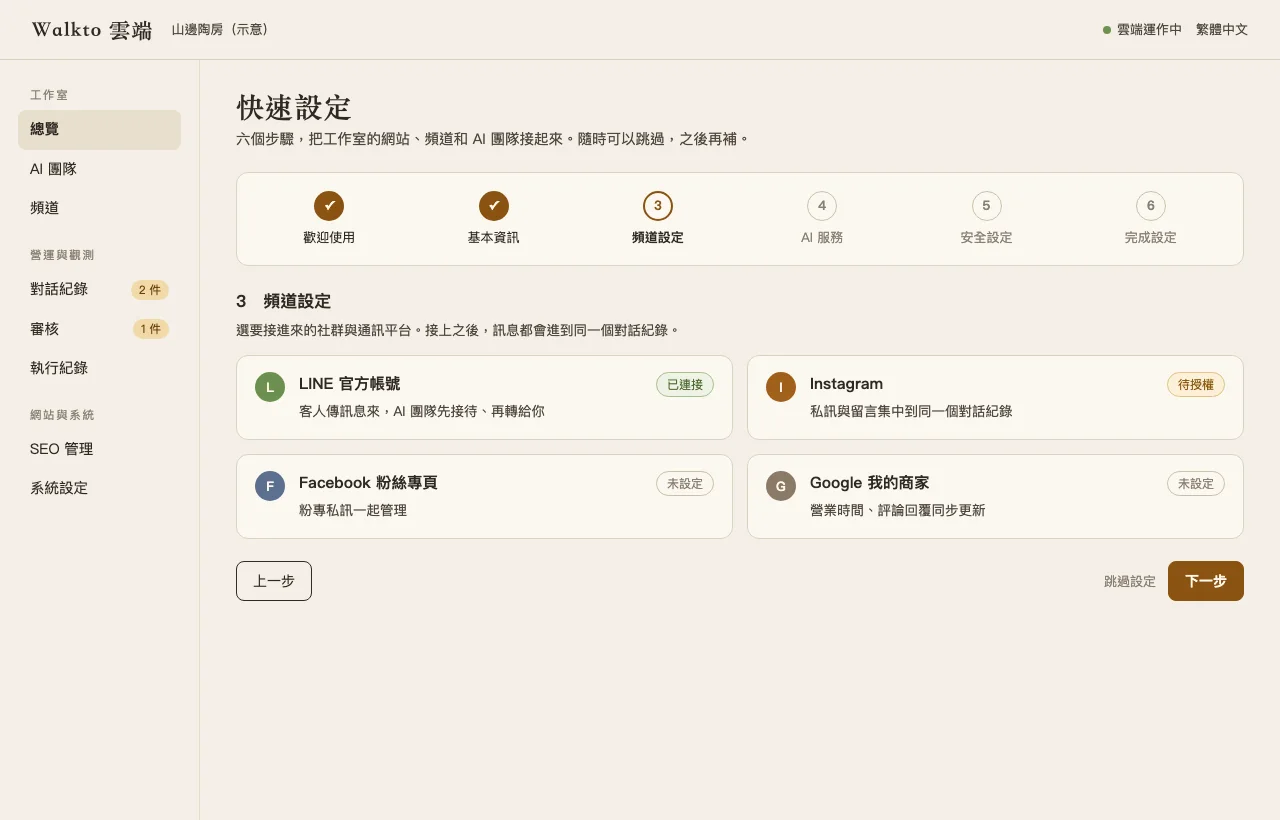
The cloud layer has its own console: connect your channels, set up an AI team, and see conversations with clients, the things waiting for your approval, and how your site shows up in search, all in one place.
Members and sign-in
Built · in beta testing
- Who signs in
- Visitors sign in with one traveler identity, the same one in every space.
- Whose conversation
- Their conversation with your avatar is their own; you see a part only after they confirm sharing it.
- Do they become members
- Reading your content or asking your avatar does not make them a member of your workspace.
Live streaming
Built · in beta testing
Live streaming is more than one more way to get your message out. While you are on air, back-end tools are connected to the same picture, watching and sorting as it goes; what stays after the stream is a record people can still ask about.
- What you bring
- A phone or a camera, going live the way you usually do.
- What Walkto does
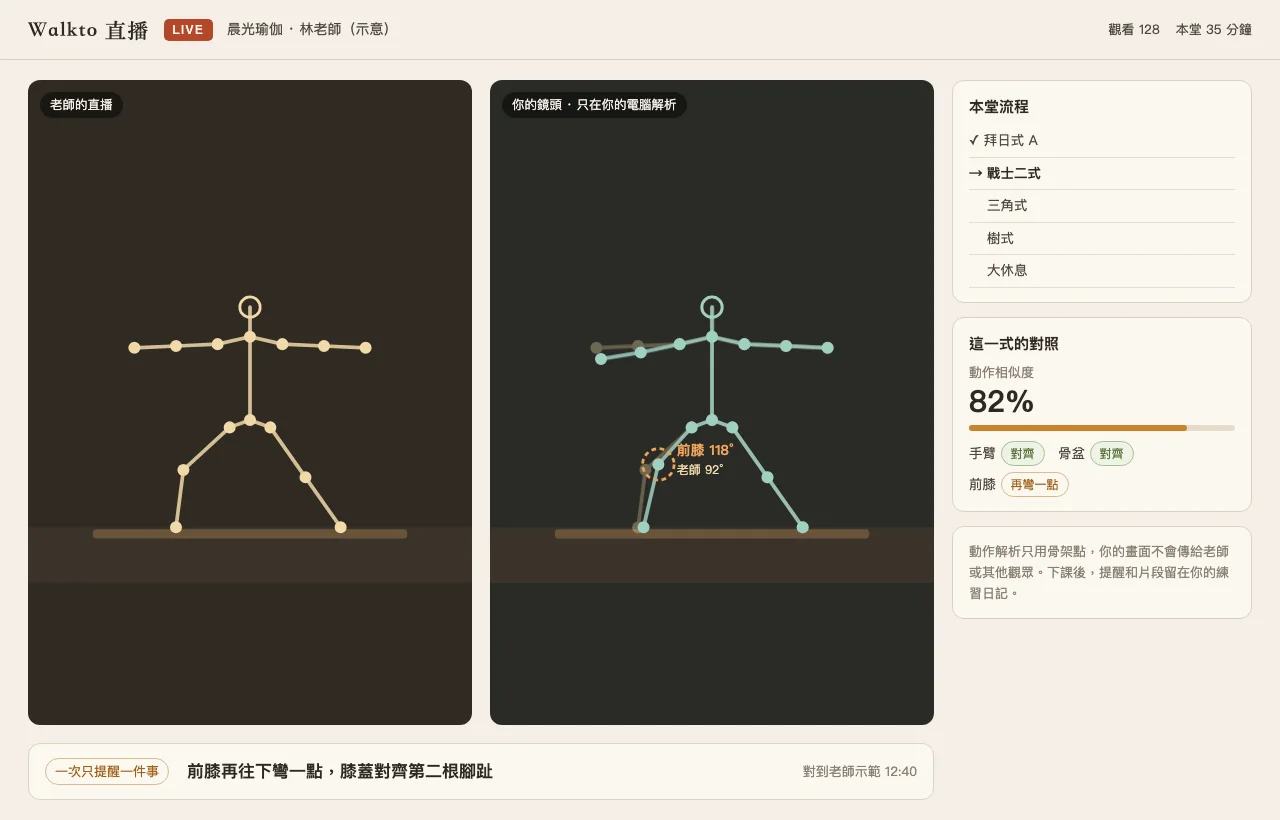
- The stream goes out through the cloud and is also passed back to the modules on your own computer for live analysis. In a yoga class, motion analysis reads skeleton points only and gives pose cues during the class.
- Where it runs
- The streaming service now runs alongside the website hosts and will move to the cloud platform or a host of its own, so a bigger audience does not slow the site.
While live, connect the tools of your trade
Yoga connects motion analysis, a street walk connects a shopping list, and pour-over coffee connects the scale and the pouring curve.